Best Streaming Devices Under $30 in 2026
10 min read
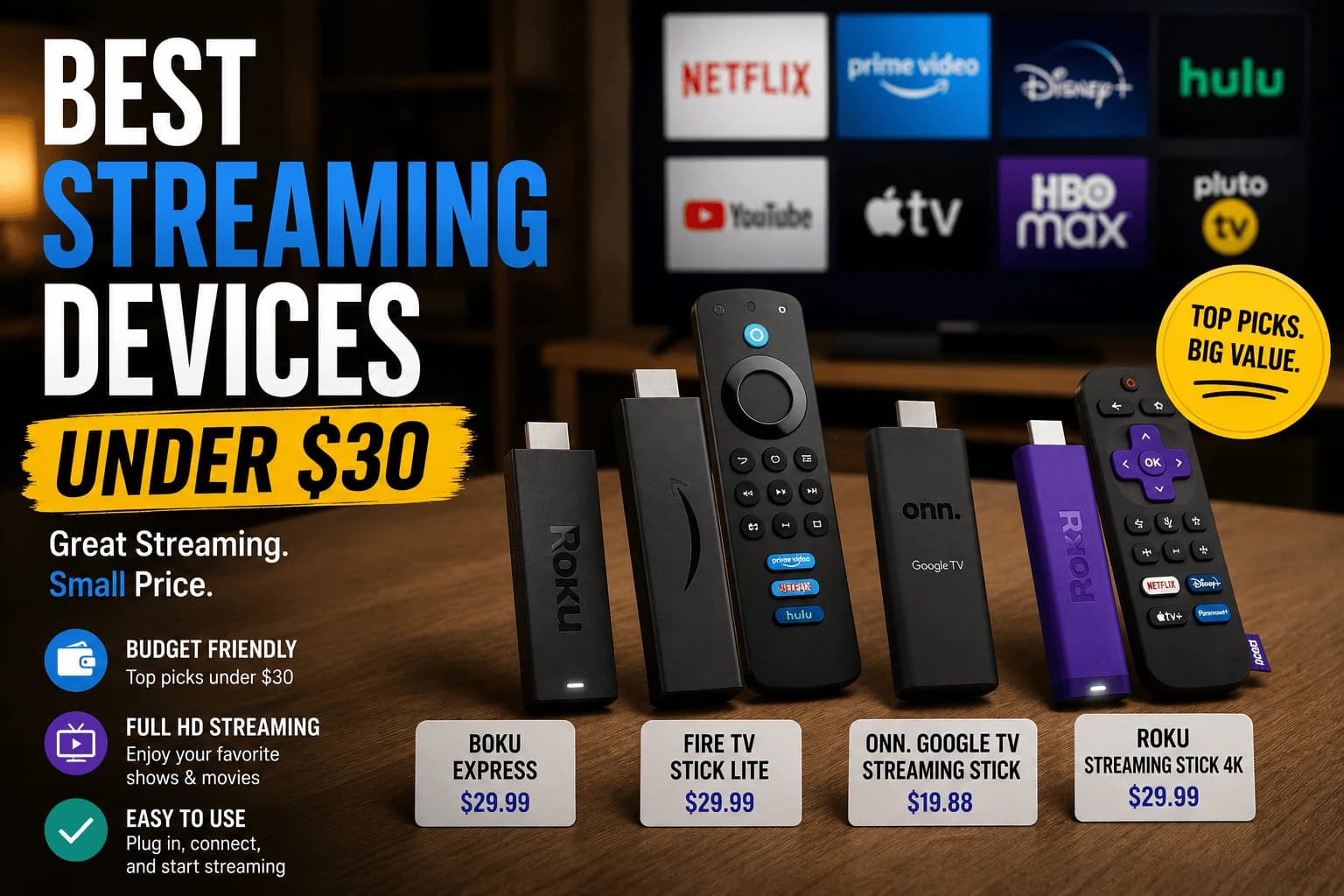
"Budget" used to mean "settle for less." Not anymore, at least not for anyone with a 1080p TV — sit down and actually use one of these and the compromise-tier feeling never shows up. The only thing missing is 4K. Here's what's worth the money and what isn't at this price.
Fire TV Stick (HD)
The baseline Fire TV Stick remains the cheapest reliable option in this price range. It's limited to 1080p, which rules it out if you have a 4K television, but for anyone on an HD display, it delivers smooth app navigation and the full Fire TV app catalog at the lowest realistic price point.
Roku Express
Roku's entry-level Express sits at a similar price to the base Fire TV Stick and offers the same calm, minimally cluttered interface that makes Roku's more expensive models appealing. Performance is adequate for single-app streaming, though app-switching is noticeably slower than pricier Roku models.
Fire TV Stick Lite
A small step up from the base HD stick, the Lite version typically adds a cleaner remote design while staying comfortably within budget. The core streaming experience is nearly identical to the standard HD stick.
Roku Streaming Stick
Slightly above the Express in price but still generally under $30 during sales, the Streaming Stick adds a stronger Wi-Fi antenna. If your router is far from your TV, this upgrade alone can meaningfully reduce buffering compared to the Express.
What that price tag is actually hiding
None of these do 4K, full stop. That's the ceiling, not a maybe. RAM is also thinner than pricier models, so navigation and app-switching feel a beat slower, most noticeably on the cheapest of the four. If your TV is 4K, buying anything on this list is money spent on a device that can never show you what your screen can display. That's not a tradeoff worth making. Spend the extra $15-20 on a 4K-capable stick instead.
Who this tier is actually for
For a 1080p TV or a secondary room where you're not chasing the best possible picture quality, any device on this list is a solid buy in its own right, not just an acceptable compromise. If your primary TV is 4K, skip this tier entirely and look at mid-range options instead: the picture quality difference is real and worth the extra cost.
What you don't lose at this price
Worth stating plainly, because budget hardware gets undersold:
Picture quality is identical. A cheap device and an expensive one display the same stream the same way. Video is decoded, not enhanced. There's no premium processing making the picture better.
App availability is usually the same. Budget devices from major platforms run the same apps as their expensive siblings, since that's decided by the platform rather than the hardware.
The streaming services don't know or care. Netflix delivers the same stream regardless of what it cost.
What you're actually paying more for higher up the range is interface speed, storage, connectivity and longevity, not what appears on screen.
What you do give up
- Storage. The constraint you'll meet first. Apps keep growing, and budget devices weren't generous. Expect to manage what's installed rather than accumulating freely.
- Menu responsiveness. Noticeable navigating, not during playback.
- Ethernet. Almost never included at this price, so wired means an adapter: relevant if you've read our Ethernet versus Wi-Fi for streaming guide.
- Useful life. Less headroom means feeling old sooner as apps grow heavier.
Platform matters more than price here
At this level the hardware differences are small; the platform decides what you can actually do:
- VPN support. Fire TV and Android TV run VPN apps natively. Roku doesn't at any price, requiring router configuration.
- Home screen advertising. Differs substantially, per our platform comparison, and you pass through it every time.
- App catalogue. Broadly similar for major services, differing for smaller and free ad-supported ones.
What's actually in this price range
At the budget end, a couple of devices are worth knowing about, both running full platforms rather than cut-down ones:
- The Walmart onn 4K Pro runs standard Google TV with full Play Store access, which means native VPN app support that Roku doesn't offer at any price.
- The TiVo Stream 4K runs Android TV with a custom interface layered on top, aggregating across services rather than promoting one catalogue.
If you'd rather stretch slightly further, the Fire TV Stick 4K Max and Chromecast with Google TV sit just above this bracket.
Where budget hardware is the right answer
- Second, guest or bedroom TVs, where premium pricing makes little sense
- Reviving a TV whose built-in apps have aged: often the cheapest possible fix, per our stick versus built-in guide
- 1080p TVs, where a 4K device gains nothing anyway (see 4K versus 1080p)
- Trying a platform before committing to expensive hardware in it
Where it isn't: a heavily used main TV, or local media playback where hardware capability genuinely matters.
Frequently Asked Questions
Can you get a good 4K streaming device under $30?
Rarely, and only during sales. Most sub-$30 devices are limited to 1080p HD. If 4K is a requirement, budget closer to $40-50 for a reliable option.
Is a $20-30 streaming stick good enough for daily use?
Yes, for casual single-app streaming on a 1080p or lower-resolution TV, budget sticks perform reliably. The tradeoffs show up mainly in app-switching speed and lack of 4K support.
Do budget streaming devices support all major apps?
Yes — app availability is essentially identical across price tiers on the same platform. A $25 Fire TV Stick runs the same Netflix and YouTube apps as a $60 one; the difference is hardware speed, not app access.
Should I buy a budget device or wait for a sale on a better one?
If your TV is 1080p, a budget device is a fully adequate choice, not just a compromise. If your TV supports 4K, waiting for a sale on a 4K-capable stick is usually worth it rather than settling for HD-only hardware.
Is picture quality worse on a cheap streaming device?
No. A budget device and an expensive one display the same stream identically. Video is decoded rather than enhanced, so there is no premium processing improving the picture — what you pay more for is interface speed, storage, connectivity and longevity.
What do I actually give up with a budget streaming device?
Storage is the constraint you meet first, since apps keep growing and budget devices were never generous. Beyond that: slower menus (noticeable navigating, not during playback), no Ethernet port, and a shorter comfortable life as apps grow heavier.
Which budget platform should I choose?
The platform matters more than the hardware at this price. Fire TV and Android TV run VPN apps natively while Roku does not at any price. Home screen advertising also differs substantially, and you pass through that screen every time you sit down.
When is a budget streaming device not the right choice?
On a heavily used main TV, where slow menus wear thin quickly, and for local media playback, where hardware capability genuinely matters and budget devices are inconsistent with demanding formats or high-bitrate files.


