Streaming Stick vs Smart TV Apps: Do You Need Both?
10 min read
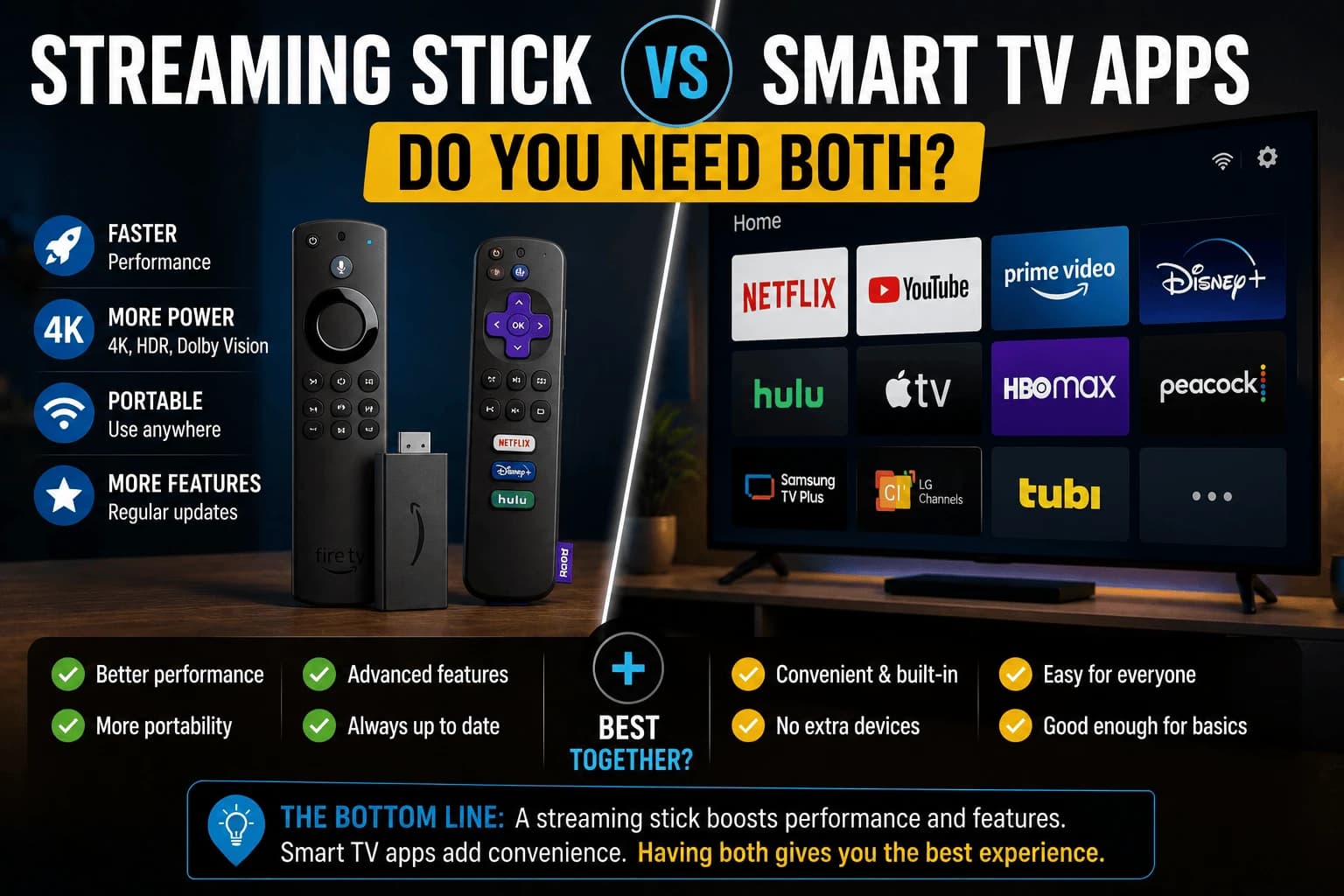
Your Smart TV already runs Netflix. So does the $30 stick sitting in the store next to it. The overlap is real, and it makes buying a second device to do a job your TV already does feel a little absurd — right up until you learn how fast TV manufacturers give up on their own software.
The core tradeoff: hardware lifespan vs. software lifespan
A TV's screen might last a decade or more. The chip powering its smart features rarely gets the same runway — manufacturers typically stop pushing meaningful software updates well before the display itself wears out. That means the apps on a 3-4 year old Smart TV are often running on hardware the manufacturer has effectively stopped improving, even though the TV looks and performs fine otherwise.
Why streaming sticks stay current longer
A dedicated streaming stick is a standalone product with its own release cycle. When it starts to feel dated, you replace a $30-50 accessory rather than an entire television. This is the single biggest practical argument for adding one, even to a TV whose built-in apps technically still work.
Resist the urge to buy a gadget you don't need
If your TV is recent, the manufacturer is still shipping updates, and the built-in apps open without hesitation, adding a streaming stick doesn't improve anything — it just gives you a second remote to lose. Buying hardware because it exists, not because it solves a problem you actually have, is how drawers fill up with unused electronics.
Signs it's time to add a stick
- Apps take noticeably longer to open than they used to
- The TV's app store no longer offers updates for apps you use
- A specific streaming service has stopped supporting your TV's platform entirely
- Menu navigation feels sluggish compared to a phone or newer device
They don't have to be either/or
A streaming stick and a TV's built-in apps can coexist without any conflict — plug the stick into one HDMI input and keep using the TV's own smart interface on another, or simply switch between the two as needed. Many people end up using the stick as their primary interface while keeping the built-in apps as an occasional backup.
The deciding factor
Don't buy a streaming stick just because it's available. Buy one when your TV's own apps start showing their age. For a TV that's still receiving regular updates, the built-in apps are often all you need.
The data question nobody reads the settings for
A difference that isn't about performance at all. Most smart TV platforms include automatic content recognition — the TV samples what's on screen, including from external inputs, and reports it back for advertising and measurement. It's typically enabled by default and buried under a name like "viewing information services".
A streaming stick doesn't remove this, since the TV still sees what it displays, but stick platforms generally offer clearer controls over their own tracking. If this matters to you, the setting is worth finding on both devices rather than assuming a stick sidesteps it.
What a stick can't fix
Adding a stick solves software problems, not display ones:
- Picture quality is the panel's job. A 4K stick on a 1080p TV outputs detail the screen discards, covered in our guide to 4K vs 1080p streaming guide.
- HDR support depends on the display. A stick can't add HDR to a TV that lacks it.
- Input lag for gaming is a TV setting, unaffected by a stick.
- A failing HDMI port means the stick has nowhere to go.
If your complaint is picture rather than speed, a stick is the wrong purchase.
The two-remote problem, and how to avoid it
The genuine daily annoyance is juggling remotes. HDMI-CEC largely solves it. Your TV switches input automatically when the stick wakes, and the stick's remote controls TV volume and power.
It's usually enabled by default but named differently per manufacturer: Anynet+, Bravia Sync, SimpLink, Viera Link. If you're using two remotes, that setting is probably off. Worth five minutes, because it decides whether the stick feels integrated or bolted on.
When the app you want simply isn't there
The strongest argument for a stick isn't speed. It's availability. Streaming services drop support for older TV platforms regularly, and when that happens there's no workaround. The app disappears, or stops updating until it stops working.
This hits smaller and newer services hardest. Major platforms stay supported longest; a service launched in the last few years may never have shipped an app for a five-year-old TV at all.
It's also the one problem with a definite deadline. Slow apps are an annoyance you can live with; a service you pay for that won't run is a bill for something you can't watch. If that's your situation, a stick is the cheapest fix available.
Does the stick's platform matter more than the TV's?
Once you add a stick, its ecosystem becomes your interface: the home screen, the search, the recommendations. That's worth a moment's thought, since it's a decision you'll live with daily.
Some platforms push their own content heavily on the home screen; others stay closer to a neutral app launcher. Voice assistants differ, and matter if you already use one elsewhere in the house.
Practically, the deciding question is which services you actually pay for and which platform handles them best. Our comparison of Fire TV, Roku and Apple TV covers how the three differ once you've decided a stick is worth adding.
Related reading
- budget streaming device guide: what a cheap stick actually gets you
- Apps taking forever to open: worth ruling out before buying anything
- 4K versus 1080p: whether a 4K stick will do anything on your TV
- Antenna plus streaming vs cable: the wider cost picture if you're cutting the cord
Frequently Asked Questions
Do I need a streaming stick if my TV already has smart apps built in?
Not necessarily. If your Smart TV's apps run smoothly and stay updated, a separate stick is redundant. It becomes worth adding once your TV's apps feel slow, outdated, or stop receiving updates.
Why do Smart TV apps stop getting updates before the TV itself is old?
TV manufacturers typically support software updates for a shorter window than the hardware's usable lifespan, since the underlying chip is far less powerful than what a modern streaming stick uses. This means apps can become sluggish or unsupported years before the screen itself needs replacing.
Is a streaming stick faster than Smart TV apps?
Usually yes, especially on a TV that's more than 2-3 years old. Streaming sticks are updated as standalone products with newer processors, while Smart TV app performance is tied to whatever chip shipped with the television.
Can I use a streaming stick and Smart TV apps at the same time?
Yes, they don't conflict. Many people use a streaming stick for their primary apps while still having the TV's built-in apps available on a different HDMI input or app switcher for occasional use.
Will a streaming stick improve my picture quality?
No. Picture quality is determined by the panel, so a 4K stick on a 1080p TV outputs detail the screen simply discards, and a stick cannot add HDR to a display that lacks it. A stick fixes software problems — slow apps, missing services, dropped update support — not display limitations.
How do I avoid using two remotes with a streaming stick?
Enable HDMI-CEC on the TV. It switches input automatically when the stick wakes and lets the stick's remote control TV volume and power. Manufacturers name it differently — Anynet+, Bravia Sync, SimpLink, Viera Link — which is why people often miss it.
Does a streaming stick stop my TV tracking what I watch?
Not by itself. Most smart TV platforms include automatic content recognition, which samples what is on screen including from external inputs, so the TV still sees what the stick displays. It is usually enabled by default under a name like "viewing information services" and worth turning off on both devices.


