Chromecast with Google TV Review: Budget 4K Done Right
10 min read
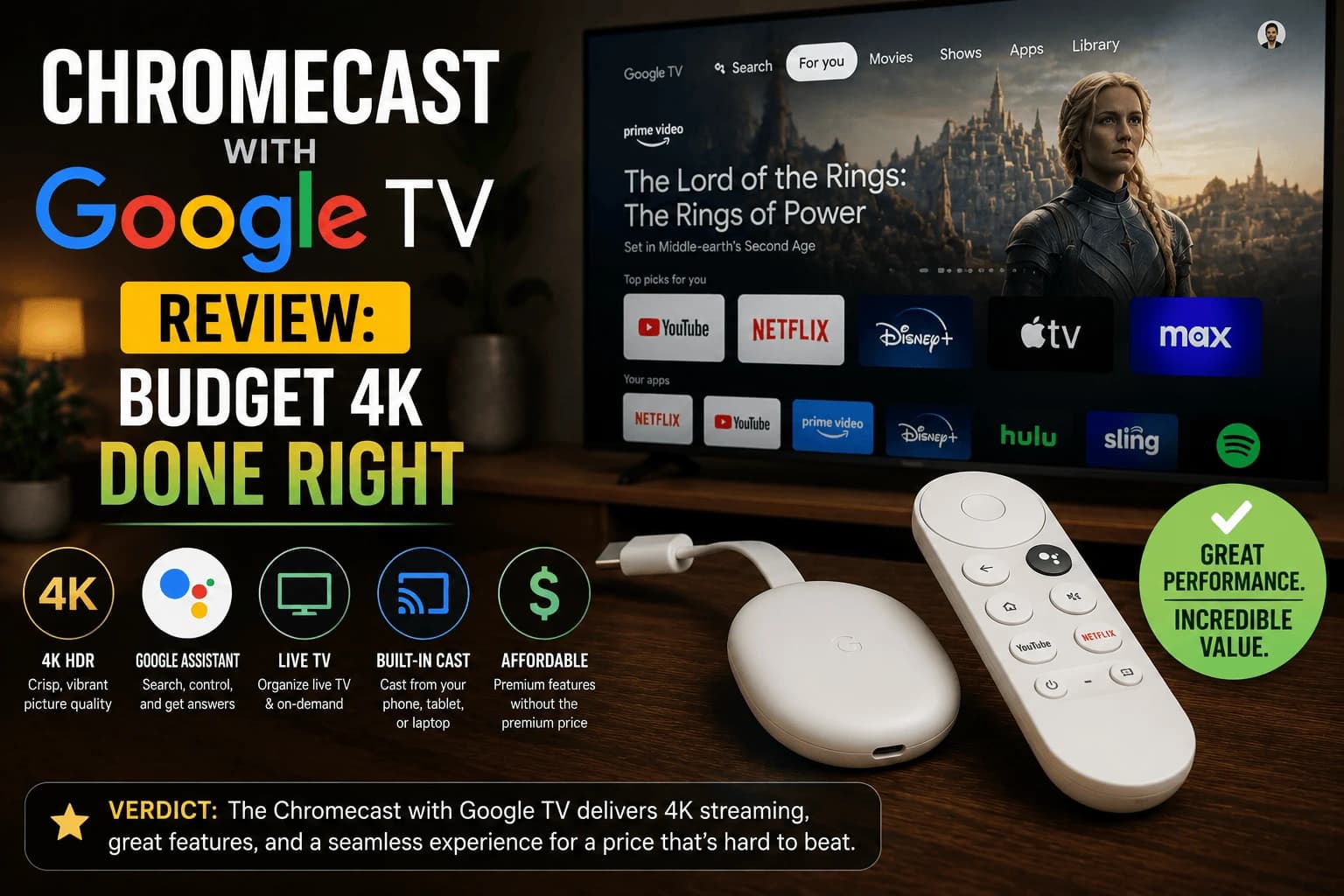
Pros
- Unified search and recommendations actually pull from across installed apps, not just Google's own services
- Remote includes a dedicated button to launch a live TV/free channel guide, useful for background viewing
- Casting from a phone still works alongside the standalone interface, unlike the original Chromecast-only model
- Consistently among the cheapest 4K HDR-capable devices on the market
Cons
- Home screen recommendations lean toward promoting content Google can monetize, similar to other platforms
- Remote has no backlighting, which is a real annoyance in a dark room
- Occasional missed frames during fast motion on lower-end TVs, less common on higher-end sets
- Google account requirement ties the device more tightly to one ecosystem than Roku does
Everyone already knew the old Chromecast: the dongle with no interface of its own, entirely dependent on your phone to tell it what to play. Google's bet with the Google TV version was that people actually wanted a real remote and a real home screen too. Years later, that bet paid off, and this is one of the stronger budget-to-mid options you can buy today.
The interface actually works across apps
The standout feature is search that pulls its weight: typing a show or movie title surfaces results across every installed streaming app rather than just Google's own services, and tells you which app has it. This sounds like a small thing until you've used a platform that only recommends its own content: the difference in daily usability is real.
Remote and hardware
The included remote has a dedicated button for a free, ad-supported live channel guide, which is a nice option for background viewing without opening a specific app. The one real hardware miss is the lack of backlit buttons — finding the right button in a dark room takes a beat longer than it should on a device at this price point.
Picture quality and performance
4K HDR with Dolby Vision support is solid, and day-to-day navigation feels responsive for the price. On lower-end TVs, occasional dropped frames during fast motion sequences have been reported, not a dealbreaker, but worth knowing if you're pairing it with an older or budget display.
Google didn't kill the feature the whole brand was named after
It would've been easy for Google to strip casting out and call this a completely new product. They didn't. Point your phone at it the way you always could, or pick up the actual remote and navigate the actual interface. Both paths work, all the time, and you never have to choose one over the other for good.
How it compares to Fire TV Stick
At similar price points, performance and app catalog are close to a wash. The real decision point is ecosystem preference. Chromecast integrates more naturally if you're already using Android and Google services day to day, while Fire TV Stick makes more sense if you're invested in Amazon Prime and Alexa.
Is it the right pick for you
This is a strong budget-to-mid 4K option, particularly if cross-app search matters to you or you're already living in the Google ecosystem. The lack of remote backlighting is a minor but real annoyance worth knowing about going in — everything else about the day-to-day experience holds up.
Casting versus the interface, and why both matter
The Google TV models are a genuine departure from the original Chromecast, which had no interface at all. You cast from a phone and that was the whole product.
Now there's a full home screen and remote, with casting retained alongside it. That combination is more useful than it sounds: casting remains the fastest way to play something you've already found on your phone, while the interface means you don't need a phone for ordinary viewing.
If you're upgrading from an older Chromecast, that's the actual change, not picture quality, which is largely unchanged for the same content.
What Google TV gives you
Platform capabilities that come from Google TV rather than the hardware:
- Full Play Store access, so app availability matches other Android TV devices.
- Native VPN app support, unlike Roku, which needs router-level setup instead.
- Cross-service search and recommendations, which aggregate across the services you use rather than pushing one.
The recommendation-heavy home screen divides opinion. It's genuinely useful if you watch across many services, and clutter if you open the same two apps every night.
Storage is the practical limit
The constraint you'll meet first is space rather than speed. Streaming apps have grown considerably, and this hardware wasn't generous to begin with.
The symptoms mislead. Apps take longer to open and playback stalls on a connection that tests fine, which looks like a network problem. Our guide to Apps that take forever to open covers why storage and memory pressure produce that pattern.
Keep the app list short. On budget hardware that's not tidiness, it's maintenance.
Choosing between the 4K and HD versions
The decision is simpler than the specification difference suggests: it's determined by your TV, not by preference.
On a 1080p TV, the 4K model's extra resolution is discarded by the panel — our guide to our 4K vs 1080p breakdown covers why that's wasted spending. On a 4K TV the 4K model is the obvious choice.
The one caveat is longevity: if you expect to replace the TV soon, buying the 4K model now avoids buying twice.
Frequently Asked Questions
Is Chromecast with Google TV the same as the older Chromecast?
No. The original Chromecast had no interface or remote of its own and only worked by casting from a phone. Chromecast with Google TV adds a full on-device interface, remote, and app store.
Does Chromecast with Google TV support 4K?
Yes, the standard model supports 4K HDR with Dolby Vision. A cheaper HD-only version is also sold separately for 1080p TVs.
Can I still cast from my phone to it?
Yes, casting still works exactly as before, in addition to using the on-device interface and remote directly.
How does it compare to Fire TV Stick at a similar price?
Performance and app support are broadly comparable. The main difference is ecosystem: Chromecast integrates more naturally with Android and Google services, while Fire TV leans toward Amazon services and Alexa.
What is the difference between Chromecast with Google TV and the original Chromecast?
The original had no interface at all — you cast from a phone and that was the entire product. The Google TV models add a full home screen and remote while keeping casting, so you can browse and watch without a phone but still cast when it is quicker.
Should I buy the 4K or HD version?
Your TV decides. On a 1080p TV the 4K model's extra resolution is discarded by the panel, so it is wasted spending. On a 4K TV the 4K model is the obvious pick. The only caveat is that if you expect to replace the TV soon, buying 4K now avoids buying twice.
Can I run a VPN on Chromecast with Google TV?
Yes, natively, since it runs Google TV with full Play Store access. That is an advantage over Roku, which has no VPN app support at any level and requires configuring the VPN on your router instead.
Why does my Chromecast slow down over time?
Storage rather than speed is usually the limit. Streaming apps have grown considerably and this hardware was never generous with space, so apps take longer to open and playback stalls on a connection that tests fine — which misleads people into blaming the network.


