Fire TV Stick 4K Max Review: Worth the Upgrade?
10 min read
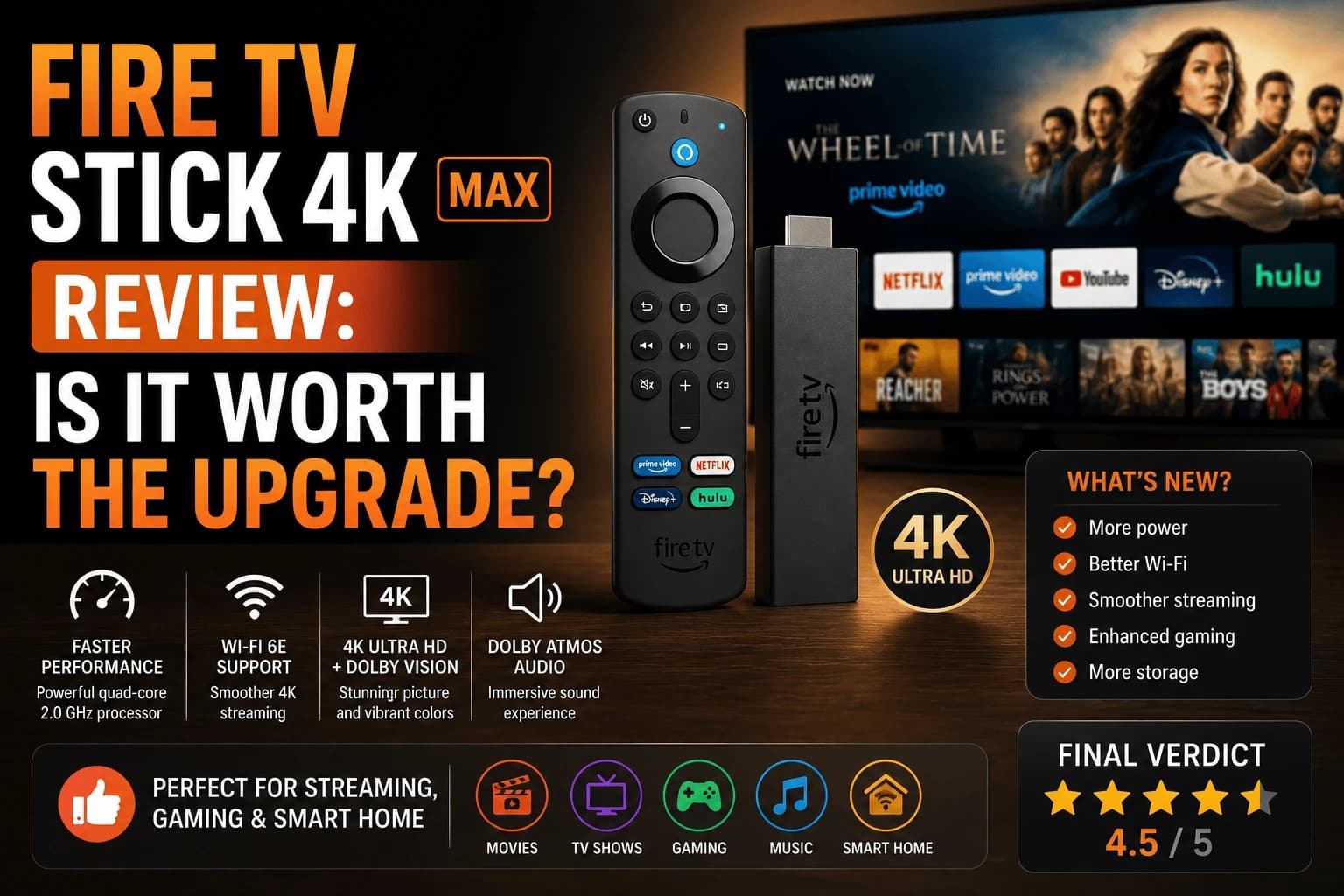
Pros
- Wi-Fi 6E support noticeably reduces buffering on congested home networks
- More RAM than the standard 4K stick, so app switching and the home screen feel snappier
- Ambient experience and Alexa voice remote work well for casual browsing
- Compact enough to hide behind most TVs with no visible cable clutter
Cons
- Home screen is dominated by Amazon Prime Video promotions and sponsored tiles
- Requires an Amazon account, and setup nudges you toward Amazon services throughout
- No Dolby Vision on older non-4K-Max TVs even though the stick supports it
- Storage is still limited, so a heavy mix of apps can slow down over time
Amazon's pitch for the 4K Max is three upgrades stacked on top of the regular 4K stick: faster Wi-Fi, more memory, a snappier interface. Two of those are real. One of them only matters if your router already supports it, and Amazon's marketing copy conveniently never mentions that part.
The Wi-Fi upgrade that depends entirely on hardware you may not own
The headline feature is Wi-Fi 6E, which runs on the 6GHz band instead of the more crowded 2.4GHz and 5GHz bands everything else in your house is fighting over. Here's the catch nobody puts on the box: Wi-Fi 6E only helps if your router broadcasts on 6GHz too. Plug this into a five-year-old router and you're not getting the 6E advantage at all. You're paying for silicon that has nothing to talk to. Check your router's spec sheet before you assume this upgrade applies to you.
The extra RAM is the upgrade that works regardless of your router. It shows up in small, constant ways — backing out of a paused show doesn't hang for a beat, the home screen doesn't stutter when you're scrolling fast. Nothing dramatic, just less friction every single time you touch the remote.
Ten minutes to set up, and then Amazon starts selling to you
Setup is fast and unremarkable: HDMI, power, Wi-Fi, Amazon account, done. What happens after setup is the part worth knowing going in. The home screen isn't a neutral list of your installed apps. It's a storefront, and Prime Video gets the prime real estate. If the app you actually open every night isn't Amazon's own, you'll be scrolling past two or three rows of promoted content to reach it, every time.
The picture quality nobody's actually paying for
Dolby Vision looks the way Dolby Vision should on a compatible TV, and Atmos passthrough works cleanly through a soundbar that supports it. None of that is exclusive to the Max: the cheaper standard 4K stick decodes the identical formats. What the extra processing power buys is fewer dropped frames during the most demanding HDR scenes, the kind most people wouldn't notice unless they were looking for it.
Who this is actually built for
If you've already got a Wi-Fi 6E router, or one is already on your shopping list, this is the version to buy. The speed gain is real and you'll feel it during your household's busiest streaming hours. If your router is more than a couple years old and staying that way, save the money. You'll get the same picture, the same sound, and a home screen that's just as eager to sell you Prime Video either way.
Storage is the constraint you'll actually hit
Processor and Wi-Fi specifications get the attention, but the limitation most people meet first is storage. Streaming apps have grown considerably and Fire TV sticks were never generous to begin with.
Symptoms arrive before any warning does: apps take longer to open, playback stalls on a connection that tests fine, and installing something new fails. Our guide to Fire TV Stick buffering covers why low storage looks exactly like a network problem, which sends people chasing routers for weeks.
Practical consequence: keep only the apps you use. On this hardware that isn't housekeeping advice, it's how you keep the device usable.
Heat, and where you put it
A stick tucked behind a wall-mounted TV sits in trapped air. Thermal throttling reduces performance without ever showing a warning, which produces stuttering that seems random.
The tell is timing, fine for twenty minutes, degrading after that, normal again the next day. The HDMI extender cable in the box exists precisely for this, and using it costs nothing.
What the platform gives you that Roku doesn't
Fire TV has a couple of genuine advantages worth weighing:
- VPN apps run natively, unlike Roku, which requires router configuration. Relevant if you use one, covered in our guide to streaming VPNs.
- Alexa integration is genuinely deep, and the stick doubles as a smart home controller if you already have Echo devices.
The tradeoff is the home screen, which promotes Amazon content more heavily than any competing platform. Our platform comparison covers how much that differs in practice.
Who should buy something else
Cases where this isn't the right purchase:
- You have a 1080p TV. The 4K output is discarded by the panel: our guide to 4K vs 1080p explains why.
- You want a neutral interface. Fire TV is the most heavily promoted home screen of the major platforms.
- You need Ethernet. This model is Wi-Fi only; a wired connection needs an adapter, adding cost and a failure point.
Frequently Asked Questions
Is the Fire TV Stick 4K Max worth it over the regular 4K stick?
If your home network already has a Wi-Fi 6E router, yes — the speed difference is noticeable during peak hours. If you're on an older router, the standard 4K stick performs almost identically for less money.
Does the Fire TV Stick 4K Max support Dolby Atmos?
Yes, it supports Dolby Atmos audio when connected to a compatible sound system, along with Dolby Vision and HDR10+ for video.
Can I install third-party IPTV or streaming apps on it?
Yes. Like other Fire TV devices, you can sideload apps using the Downloader app after enabling installs from unknown sources in settings.
How much storage does the Fire TV Stick 4K Max have?
It ships with 16GB of internal storage, most of which is usable for apps after the OS and pre-installed software.
Why does my Fire TV Stick 4K Max slow down over time?
Usually storage rather than the processor. Streaming apps have grown considerably and Fire TV sticks were never generous with space, so apps take longer to open and playback stalls on a connection that tests fine. Keeping only the apps you actually use is how you keep the device responsive.
Does the Fire TV Stick 4K Max have an Ethernet port?
No, it is Wi-Fi only. A wired connection requires a separate adapter, which adds cost and another failure point. If you know you want Ethernet, a device that includes it is usually the better purchase.
Can I run a VPN on the Fire TV Stick 4K Max?
Yes, natively. Fire TV runs VPN apps directly, unlike Roku, which requires configuring the VPN on your router instead. That is one of the clearer practical advantages of the platform.
Why does my Fire Stick stutter after twenty minutes?
Heat. A stick tucked behind a wall-mounted TV sits in trapped air, and thermal throttling reduces performance without showing any warning. Using the HDMI extender cable included in the box moves it out of the trapped air and usually resolves it.


