Why Your Streaming Apps Take Forever to Open (and the Fix)
10 min read
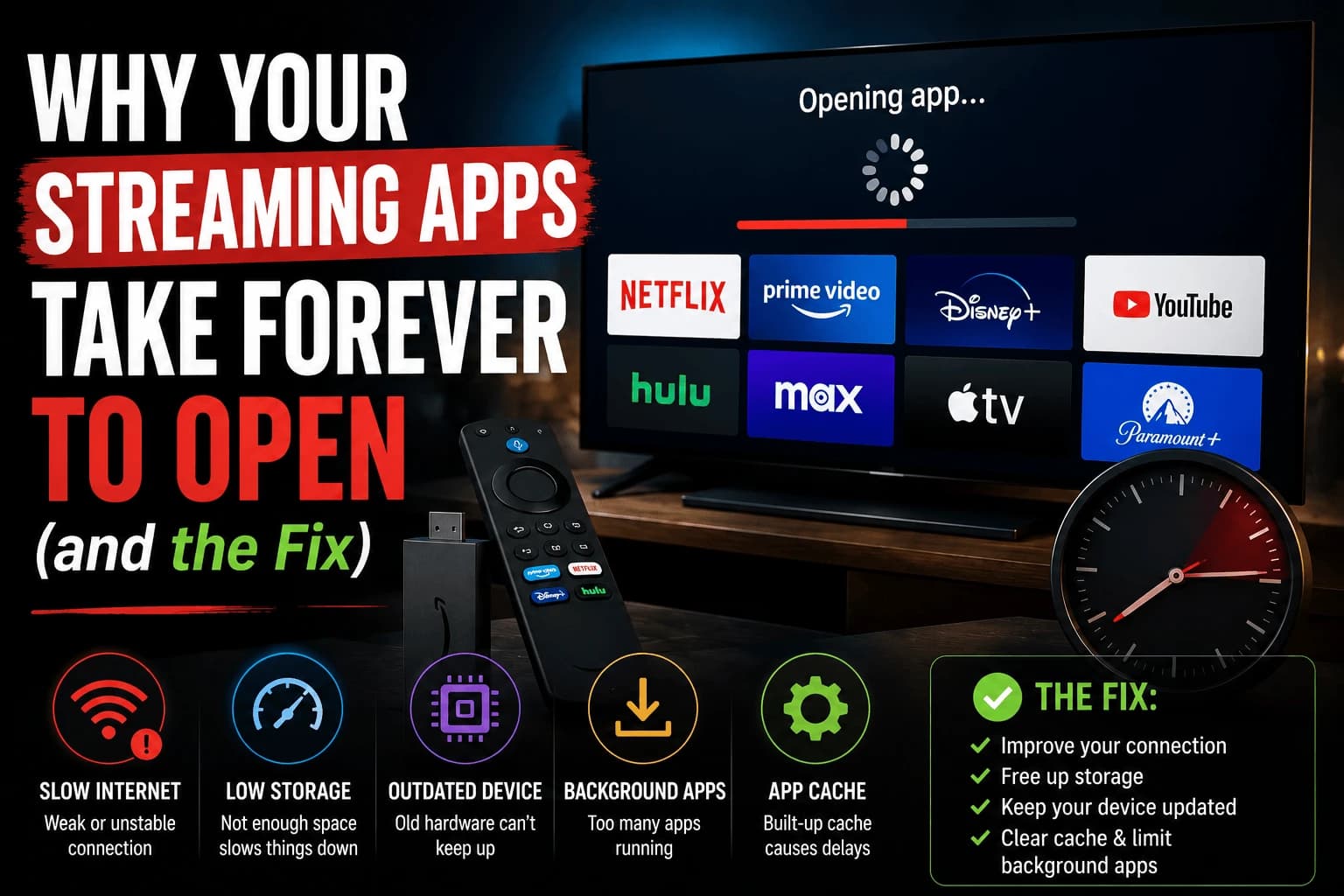
Your first instinct when an app crawls to open is to blame the internet. Resist it. The internet is rarely the culprit here. The real causes are all sitting quietly on the device itself, and most of them take less time to check than the app took to finally load.
Background apps are eating your RAM without you realizing it
Most streaming platforms don't fully close an app when you back out of it. They suspend it in memory so it reopens faster next time. That's convenient right up until you've got four or five apps suspended simultaneously, all competing for the same limited RAM the app you're currently trying to open needs. Pull up the app-switcher and force-close anything you're not using; this alone resolves a surprising share of slow-loading complaints.
A full restart clears more than a quick app switch does
Backing out to the home screen doesn't reset everything running in the background. A genuine power cycle — unplugging the device for 30 seconds, not just navigating away — clears accumulated background processes that build up over days or weeks of normal use.
Outdated app versions are quietly slower
Streaming apps get updated on their own schedule, and an app running an old version can perform noticeably worse than the current release, particularly after the streaming service has made changes on their end that an outdated client handles poorly. Check the app store's update section directly rather than assuming updates happen automatically in the background.
A bloated cache slows down one specific app
If it's a single app that's slow while everything else on the device feels normal, the cause is more likely local to that app than to the device as a whole. Clearing that app's cache through your device's app management settings, without reinstalling anything, often resolves it directly.
Sheer app count matters more than people expect
On lower-RAM devices, having many apps installed can reduce available memory even for apps you never open. If your device has accumulated a long list of streaming and utility apps over time, removing the ones sitting unused frees up resources for everything else.
Sometimes the honest answer is that it's time to let it go
If the slowdown crept in gradually over the better part of a year, hit every app rather than one specific one, and none of the steps above moved the needle — stop looking for a fix, because there isn't a software one. Streaming apps get heavier every year, and old hardware eventually stops being able to keep up. That's not a problem you troubleshoot your way out of; it's a sign the device has quietly reached the end of its useful life.
Free storage matters as much as free memory
Memory and storage get conflated, and they cause slowness differently. RAM is working space for running apps; storage is where they live. Both cause slow loading, and the storage version is the one people miss.
When storage runs low, apps can't write cache data efficiently and the system spends time shuffling space instead of loading your app. Below roughly 15% free, expect a general slowdown across everything, not just at completely full.
Uninstalling unused apps usually reclaims more than clearing caches, since caches refill within days while a removed app stays gone. If your device sits permanently near full, our guide to Roku storage problems covers the same pattern in detail, and the principle applies across platforms.
Slow to open versus slow inside the app
These are separate problems and the distinction saves time.
Slow to open, fine once loaded is a device problem, memory, storage, or an underpowered processor working through app startup. Everything above applies.
Opens fine but browsing is sluggish is usually the network or the service. Catalogue browsing pulls artwork and metadata continuously, so a slow or unstable connection makes navigation crawl while playback still works, because playback buffers ahead and browsing cannot.
Slow only at certain times of day points at network congestion rather than the device — either your household or your ISP at peak hours.
The updates that make old hardware slower
An uncomfortable pattern: a system update sometimes makes an older device worse. New OS versions target current hardware, and the features they add cost resources the old device doesn't have to spare.
Streaming platforms rarely allow downgrading, so this generally isn't reversible. What you can do is reduce what the system does in the background — turn off home-screen autoplay, disable unnecessary notifications, and remove apps you don't use. That won't undo the update, but it frees headroom the update consumed.
If the slowdown started precisely with an update rather than gradually, that's what happened, and it's worth knowing so you stop looking for a fault that isn't there.
Related troubleshooting
- Fire TV Stick buffering: same root causes, different symptom
- Roku storage and memory errors
- budget device guide, when the hardware has genuinely aged out
Frequently Asked Questions
Why do my streaming apps load slowly even though my internet is fast?
App loading speed and internet speed are largely separate. A slow-loading app is usually a device-side issue — limited RAM, a bloated cache, or too many background processes — rather than anything to do with your connection.
Does closing apps in the background actually help?
Yes, meaningfully so on devices with limited RAM. Many platforms keep several recently used apps suspended in memory simultaneously, which competes for the same limited resources the app you're opening needs.
Can too many installed apps slow down my streaming device?
Yes, particularly on lower-RAM hardware. Even apps you never open can still consume storage and, in some cases, background resources that reduce what's available for the app you're actually trying to launch.
How do I know if my streaming device is just too old?
If slowdowns have crept in gradually across every app over many months rather than appearing suddenly with one specific app, and a factory reset doesn't meaningfully help, the hardware itself is likely the limiting factor rather than anything fixable through software.
Why did my streaming device get slower after a system update?
New OS versions target current hardware, and the features they add cost resources an older device does not have spare. Platforms rarely allow downgrading, so it is generally not reversible. Turning off home-screen autoplay, disabling notifications and removing unused apps frees back some of the headroom the update consumed.
Does low storage slow down app loading, or only low memory?
Both, and storage is the one people miss. When storage runs low, apps cannot write cache data efficiently and the system spends time shuffling space instead of loading. Expect a general slowdown below roughly 15% free — not just when completely full.
Apps open fine but browsing the catalogue is slow — is that the same problem?
No, that is usually the network or the service rather than the device. Browsing pulls artwork and metadata continuously, so an unstable connection makes navigation crawl while playback still works, because playback buffers ahead and browsing cannot.