Roku "Not Enough Memory"? Fix Insufficient Storage and App Crashes
8 min read
"Insufficient storage" sounds like your Roku is dying. It almost never is. This message shows up because budget streaming hardware ships with an almost comically small amount of usable memory, and it fills up faster than you'd expect. Nothing here is actually broken — work through these in order and you'll usually be done in five minutes.
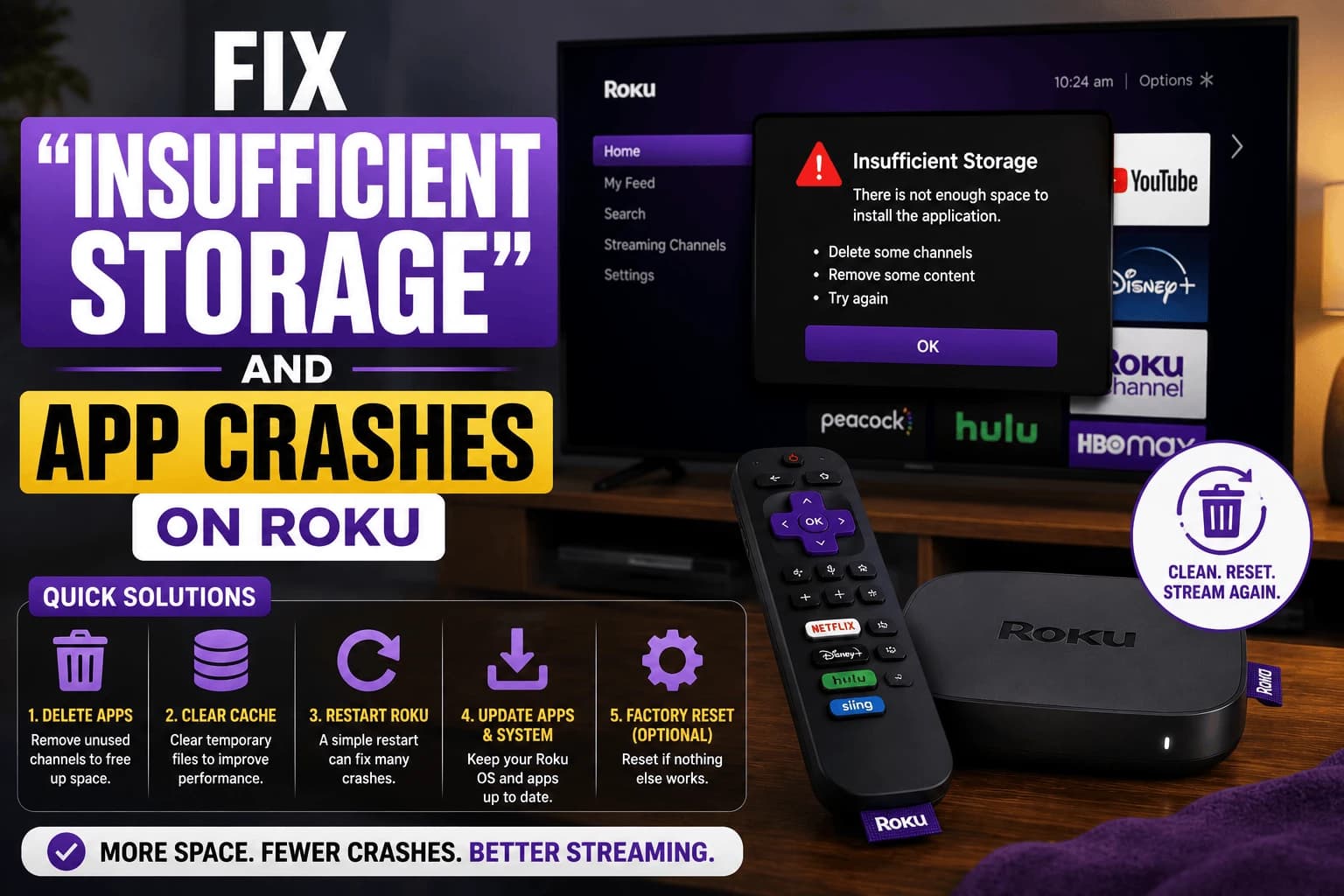
"Not enough memory", "storage full", "out of space" — same problem
Roku phrases this several different ways depending on your model and OS version, and the wording sends people looking for different fixes when there's only one underlying cause. You might see any of these:
- "Not enough memory": the most common wording on Roku TVs
- "Insufficient storage": typical on stick-form players
- "Your Roku device is out of storage space"
- "Memory full" or a generic warning when installing a new channel
- No message at all: channels simply crash back to the home screen, which is the same storage pressure showing up differently
All five mean the same thing: there isn't enough free space for the channel you're trying to run or install. The steps below fix every version of it.
Check how much storage you're actually working with
Go to Settings → System → About to see available memory. Budget and older Roku sticks often have surprisingly little usable space left after the operating system itself. Sometimes just enough room for a handful of channels before storage warnings start appearing.
Remove channels you don't actually use
Every installed channel takes up storage whether or not you open it regularly. Highlight an unused app on the home screen, press the * button on the remote, and select Remove channel. This is the single most effective fix for storage warnings and takes under a minute per app.
Restart before assuming it's a hardware limit
Go to Settings → System → Power → System restart. A surprising number of "insufficient storage" and app-crash reports clear up after a simple restart, since temporary memory buildup can get mistakenly counted against available space.
If one specific app keeps crashing
Roku doesn't provide a direct per-app cache-clearing option the way some other platforms do. The equivalent fix is removing the problem channel entirely and reinstalling it fresh — this wipes any corrupted local data tied to that specific app without affecting anything else on the device.
Check for a pending update
Go to Settings → System → System update → Check now. Running an outdated version of Roku OS is a common, easily overlooked cause of channels crashing repeatedly: an update often resolves it without touching your installed apps at all.
When your Roku crashes but never mentions storage
Plenty of storage problems never produce a warning. Instead the device just misbehaves: a channel opens and immediately drops back to the home screen, playback freezes partway through, the interface turns sluggish, or the whole device restarts on its own. If your Roku is crashing without an explicit message, check available memory anyway. It's the most common cause, and it's silent on most models.
The giveaway is that it's worse with heavier apps. If Netflix and YouTube are fine but a demanding channel crashes every time, you're running out of room rather than dealing with a broken app.
Roku TVs vs. streaming sticks
Roku TVs and Roku streaming players run the same OS but ship with different amounts of usable storage, and Roku TVs are usually the tighter of the two — the OS and the TV's own picture and input handling take a bigger share before you install anything. If a Roku TV reports "not enough memory" with only a few channels installed, that's expected rather than a fault.
Only some Roku models have a microSD slot for expanding storage, and even then the card holds channel data rather than acting as general free space. On stick and budget models there's no expansion option at all, which makes removing unused channels the only real lever you have.
Factory reset: last resort, not first step
If storage warnings and crashes persist after all of the above, a full factory reset (Settings → System → Advanced system settings → Factory reset) clears everything and starts fresh. This means reinstalling and resigning into every channel afterward, so treat it as the final option rather than a quick fix. The menu path differs between Roku TVs and Roku players, and some models also offer a physical reset button on the back or base of the unit, worth checking Roku's own support site for your specific model before starting.
When it's time to replace the device instead
Storage management has a floor. If you're removing channels you actually use just to keep the device working, the hardware has run out of headroom and no amount of housekeeping fixes that. Older budget sticks in particular were built when apps were smaller, and streaming apps have grown considerably since.
The practical test: if you can't keep your five most-used channels installed simultaneously without warnings, you've outgrown the device. Our Budget replacements covers inexpensive replacements, and the Roku Ultra is the natural upgrade if you want to stay in the Roku ecosystem with more room to work with.
Related troubleshooting
- Apps that take forever to open: the same memory pressure, different symptom
- fixing audio lag: sometimes caused by the same resource constraints
Frequently Asked Questions
Why does my Roku say insufficient storage when I have few channels installed?
Some Roku models, particularly older or budget sticks, ship with very little usable storage after the operating system itself. Even a handful of channels can fill the remaining space.
Does removing a channel delete my login or watch history for that app?
Usually not — most streaming apps store your account and watch history on their own servers, not locally on the Roku. Reinstalling the channel typically restores your account after signing back in.
Will a factory reset fix a Roku that keeps crashing apps?
In most cases, yes, since it clears all accumulated data and reinstalls a clean system state. Try the non-destructive steps first, since a factory reset requires reinstalling and resigning into every channel afterward.
Can I add storage to a Roku device?
Only Roku models with a microSD card slot support expandable storage. Stick-form and budget models typically do not, so channel management is the main way to manage limited space on those devices.
Why does my Roku say not enough memory?
It means there is not enough free space to install or run the channel you are opening. Roku words this as "not enough memory" on Roku TVs and "insufficient storage" on most streaming players, but both point at the same cause. Removing a few unused channels and restarting the device resolves it in most cases.
What is the difference between "not enough memory" and "insufficient storage" on Roku?
Nothing meaningful — they are two wordings for the same storage limit, and which one appears depends on your model and Roku OS version. The same fixes apply to both.
Why does my Roku keep crashing without showing an error?
Storage pressure often causes crashes with no warning message at all. Channels close back to the home screen, playback freezes, or the device restarts on its own. Check available memory under Settings → System → About even when no storage error is displayed.
Does a Roku TV have less storage than a Roku stick?
Usually yes. Roku TVs reserve more space for the operating system plus the TV's own picture and input handling, so less is left over for channels. A Roku TV reporting low memory with only a few apps installed is normal rather than faulty.