Roku Ultra Review: The Power-User Roku, Tested
10 min read
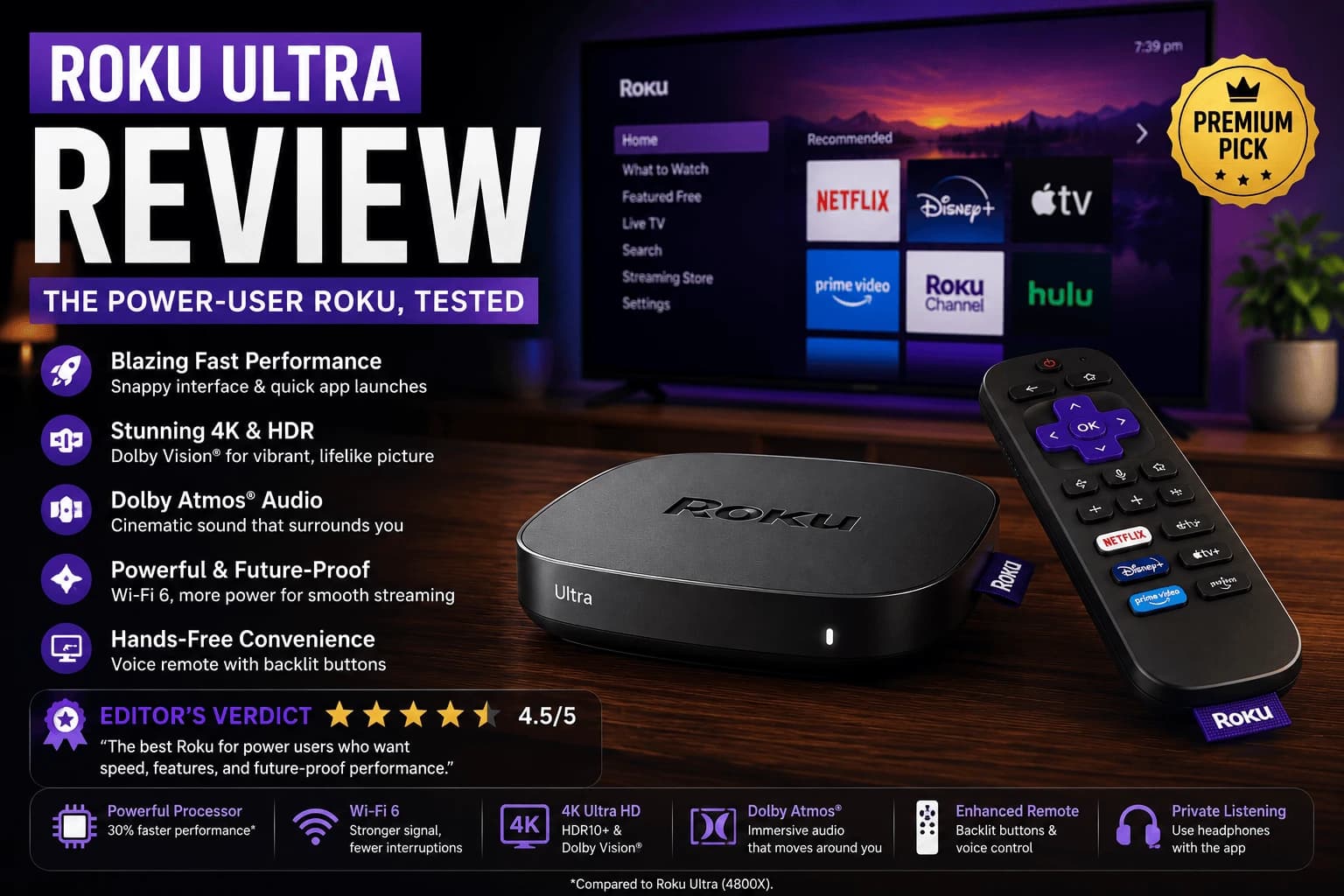
Pros
- Wi-Fi 6 plus an Ethernet port for a true wired option, unlike stick-form Roku devices
- Physical remote finder actually works and has saved real searching time
- Roku OS remains the least cluttered interface of any major platform
- USB port for local playback of downloaded video files without a separate app
Cons
- Price premium over the Streaming Stick 4K is hard to justify unless you specifically need Ethernet or the remote finder
- Box form factor means finding a spot near the TV instead of hiding behind it
- Voice remote range is shorter indoors than advertised
- No AV1 codec support at this price point, unlike some competing Google TV boxes
Every Roku marketing page shows off the stick-form devices. The Ultra is the one they don't push nearly as hard, and it's built for a specific kind of frustrated customer: the one who's tired of buffering during the 8pm household rush and tired of losing the remote in the couch every single week.
It's a box, not a stick, and that trade buys you something real
Giving up the invisible-behind-the-TV form factor gets you a full-size USB-A port for local file playback, a microSD slot, and the feature that actually matters: a physical Ethernet port. Wi-Fi 6 helps on a congested network, sure, but plugging in a cable doesn't just help — it removes the variable entirely. If your stick-form Roku has ever dropped frames the moment three other people in the house got online, that's the exact problem a cable makes disappear.
The remote finder feature
Roku's remote finder is a small thing that turns out to matter a lot in daily use: press a button on the Ultra itself (or in the mobile app), and the remote emits a sound until you find it. It sounds minor until you've spent five minutes digging through couch cushions on a regular streaming device.
Interface and performance
Roku OS remains the calmest, least promotional interface among the major platforms: a straightforward grid of installed apps with minimal sponsored clutter. Navigation on the Ultra is noticeably snappier than on budget Roku sticks, largely thanks to more RAM and the wired networking option.
4K HDR playback is smooth, and Dolby Vision content looks correct on a compatible display. Where the Ultra doesn't lead the pack: it lacks AV1 decoding, a newer codec some competing Google TV boxes now support, though real-world content using AV1 is still limited enough that most people won't notice.
Where the extra cost doesn't pay off
If your only use case is browsing Netflix and YouTube on a stable home network, the Roku Streaming Stick 4K delivers essentially the same picture quality and app experience for meaningfully less money. The Ultra's advantages. Ethernet, the remote finder, local file playback via USB, are real but specific. If none of them apply to your setup, you're paying for hardware you won't use.
Who should actually buy this
The Ultra earns its price for two kinds of households: ones fighting a weak or crowded Wi-Fi signal who want the option to go wired, and ones that lose remotes often enough that the finder feature alone justifies the upgrade. Outside those two cases, put the difference toward the Streaming Stick 4K instead.
What the Ethernet port actually changes
The wired port is the clearest reason to choose the Ultra over a Roku stick, and it matters more than the processor difference for most people.
Streaming video needs a steady rate rather than a fast one, so the benefit of wiring isn't higher peak speed. It's the removal of variability. A Wi-Fi connection that averages plenty of bandwidth but dips for two seconds will stall playback; a wired one won't. Our guide to Ethernet vs Wi-Fi covers when that difference is worth acting on.
If your TV sits far from the router, or the household is busy in the evenings, this single port justifies the price gap on its own. If the router is in the same room and you've never seen buffering, it doesn't.
Roku's platform limits, whichever model you buy
A couple of constraints apply across the whole Roku lineup, and they're worth knowing before committing to the ecosystem:
- No VPN app support at any level. Covering a Roku with a VPN means configuring it on your router, covered in our guide to VPN routers.
- No Plex or Jellyfin server capability. Roku runs client apps for both but cannot host a library itself, unlike some Android TV hardware.
Neither matters for ordinary streaming. Both matter if you were planning around them.
Storage, and the error you'll eventually meet
The Ultra ships with more room than Roku's sticks, which delays rather than removes the storage problem that affects the platform generally. Install enough channels and you'll still meet "not enough memory" eventually.
Our guide to Roku storage errors covers the fix, but the relevant point here is that the Ultra's extra headroom is a genuine practical advantage over the cheaper models rather than a specification detail.
Who it's competing against
Within Roku, the Ultra is the only model with Ethernet, so the comparison is really Ultra versus stick rather than Ultra versus a mid-tier box.
Outside Roku, the same money buys mid-range hardware from other platforms — with the tradeoff being interface neutrality. Roku's home screen is less aggressively monetised than Fire TV's, which our Apple TV vs Fire TV vs Roku covers in more detail. If you value that, staying in the Roku lineup is reasonable. If you don't, the money goes further elsewhere.
Frequently Asked Questions
Is the Roku Ultra worth it over the Roku Streaming Stick 4K?
Only if you specifically need Ethernet, Wi-Fi 6, or the physical remote finder. For casual streaming, the Streaming Stick 4K delivers nearly identical picture and app performance for less money.
Does the Roku Ultra support Dolby Vision and Atmos?
Yes, the Ultra supports Dolby Vision, HDR10+, and Dolby Atmos passthrough on a compatible TV and sound system.
Can I use the Roku Ultra without a subscription?
Yes. Roku devices don't require a subscription to use — you only pay for the individual streaming services you sign up for.
Does the Roku Ultra work with an Ethernet cable instead of Wi-Fi?
Yes, it has a built-in Ethernet port, unlike Roku's stick-form devices, which only support Wi-Fi.
Is the Roku Ultra worth it over a Roku stick?
The main practical difference is the Ethernet port, which removes the connection variability that causes buffering. If your TV is far from the router or the household is busy in the evenings, that alone justifies the gap. If the router is in the same room and you have never seen buffering, a stick does the same job.
Does the Roku Ultra support VPN apps?
No. Roku has no VPN app support on any model, so covering it means configuring the VPN on your router instead. That is a platform limitation rather than something specific to the Ultra.
Can the Roku Ultra run a Plex server?
No. It runs the Plex and Jellyfin client apps but cannot host a library itself. If you want a device that doubles as a server, you need Android TV hardware or a separate machine.
Does the Roku Ultra still get storage errors?
It ships with more room than Roku's sticks, which delays the problem rather than removing it. Install enough channels and "not enough memory" still appears eventually, though far less often than on a budget stick.


