Fix "No Signal" on Any Streaming Device
10 min read
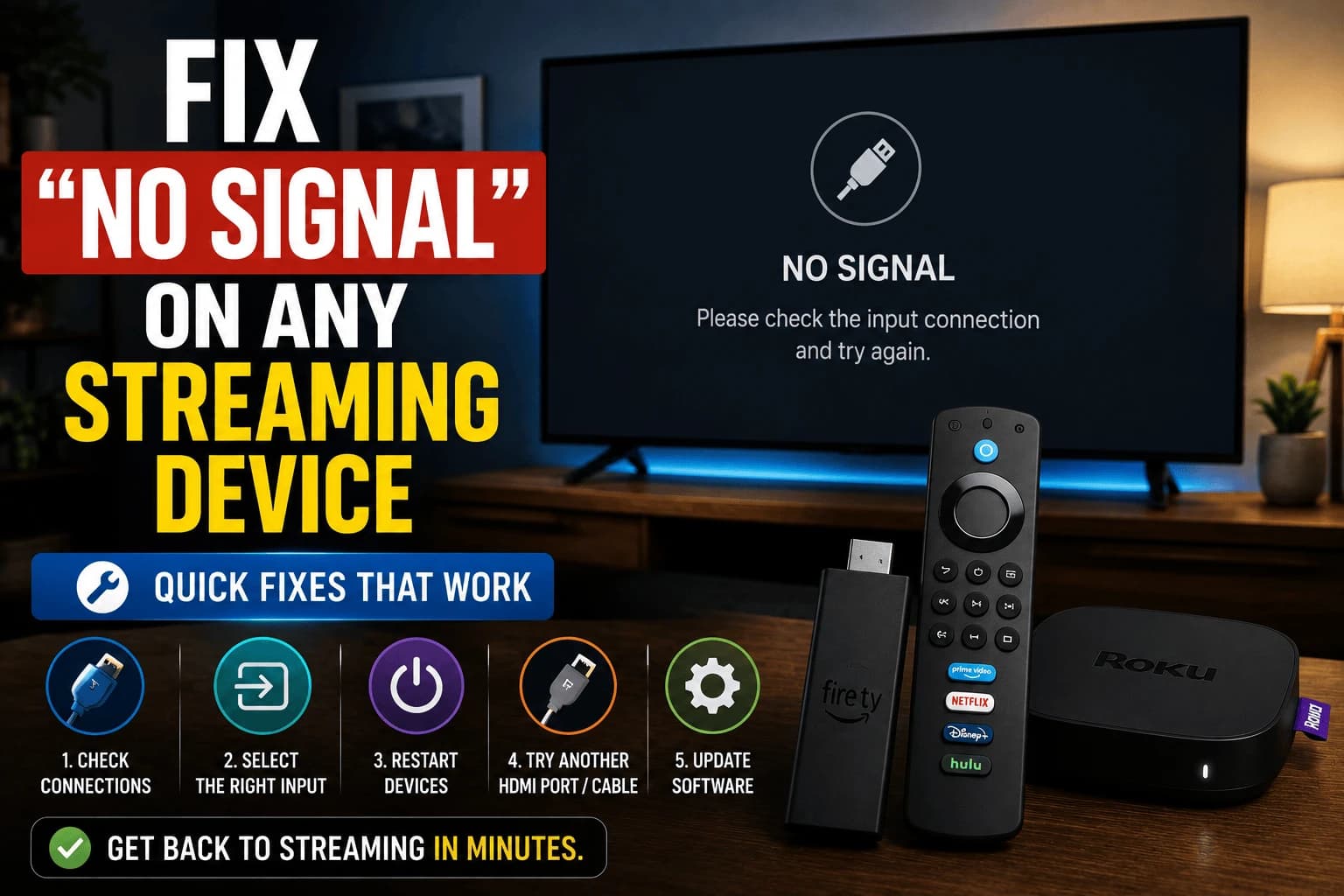
"No signal" is one of the most panic-inducing errors in streaming, mostly because it gives you nothing to go on. The good news: the fix is almost always simple, and the troubleshooting order below applies regardless of which brand of streaming device you're using.
Rule out the obvious first
Before anything else, confirm your TV's input selector actually matches the HDMI port your device is plugged into. This sounds too simple to be the real cause, but it's by far the most common reason for a "no signal" message, especially after rearranging cables or plugging in a new device.
Reseat the cable, then power cycle
Unplug the HDMI cable from both ends and firmly reinsert it: a partially seated connection can produce exactly this error. If that doesn't resolve it, fully unplug the streaming device's power (not just the HDMI) for about 30 seconds. This forces the device and TV to renegotiate their connection from scratch, which resolves a surprising number of stuck "no signal" situations that a simple restart from the remote wouldn't.
The cable in the drawer you grabbed without thinking might be the whole problem
Not every HDMI port on your TV is built the same. Some cap out at lower resolutions or skip features like HDMI-ARC entirely, so moving to a different port actually rules something out. But the cable itself is the sneakier culprit: an old or cheap HDMI cable that streamed 1080p perfectly fine for years can simply run out of bandwidth the moment you plug in a 4K HDR device. That looks exactly like a broken device. It's actually a $8 cable that was never rated for what you're now asking it to carry.
Test at a lower resolution
If your device supports it, dropping the output resolution to 1080p can restore signal when the failure is specifically tied to 4K bandwidth requirements. If lowering resolution fixes it, that confirms the issue is cable or port related rather than the device itself being faulty.
When it's actually a hardware fault
If none of the above resolves it, a hardware fault in the streaming device itself becomes more likely, but this is the least common outcome. Working through cable, port, and power-cycle troubleshooting first resolves the large majority of "no signal" cases without needing a replacement.
The HDMI handshake, and why order matters
HDMI devices negotiate before any picture appears, exchanging supported resolutions, colour formats and copy-protection status. That exchange is the handshake, and "no signal" usually means it failed rather than that no cable is attached.
Because it happens at power-on, the order you switch things on can decide whether it succeeds. If you're stuck, power everything off, then start the TV first, give it a few seconds, then the streaming device. On a setup with a receiver or soundbar in between, bring that up second and the source last. Devices further down the chain then negotiate against equipment that's already awake, which is a common fix for setups that work sometimes and not others.
HDCP: when the picture is blank but everything is connected
HDCP is the copy protection carried over HDMI, and a failed HDCP negotiation looks like no signal, a black screen with audio, or an error mentioning "unauthorized display".
It shows up most with older equipment in the chain. A TV that predates HDCP 2.2 can't display protected 4K content, and an older receiver or splitter between device and TV will break the chain even if both ends support it. The test is simple: connect the streaming device straight to the TV, bypassing everything in between. Picture returns? Something in the middle is the weak link.
Splitters, switches and extenders
Anything between the device and the TV is a candidate. HDMI switches and splitters must support the same standards as the equipment either side: a switch rated for 1080p passes nothing usable from a 4K HDR source, and cheap ones often claim 4K support they can't sustain.
Long HDMI runs have their own limits. Passive cables degrade beyond roughly 5 metres, especially at 4K, producing intermittent signal loss or sparkling artefacts rather than a clean failure. Active or optical cables exist for longer runs and are worth the cost when the distance is genuinely required.
If it fails only after the TV sleeps
A specific and common pattern: everything works, the TV goes to standby, and on waking there's no signal until you unplug something. This is a handshake that didn't re-establish on wake.
A couple of things usually help. Disable HDMI-CEC — the feature that lets devices control each other, since aggressive CEC implementations cause exactly this. Alternatively, switch the TV to a different input and back, which forces renegotiation without unplugging anything. If CEC turns out to be the cause, you'll be trading automatic input switching for a reliable picture, which most people accept.
Related troubleshooting
- our audio-sync guide: the same cable and handshake issues in a different form
- DisplayPort vs HDMI, when the connection standard itself is the constraint
- our 4K vs 1080p breakdown: why dropping resolution often restores a signal
Frequently Asked Questions
Why does my streaming device say "no signal" right after setup?
This is usually the TV being on the wrong HDMI input, or the device still starting up. Confirm the correct input first, then allow a full minute for the device to boot before assuming there's a real problem.
Can an old HDMI cable cause no signal at 4K but work fine at 1080p?
Yes. Older cables not rated for higher bandwidth can fail specifically at 4K/HDR signal requirements while still working at lower resolutions, since less data needs to pass through the cable.
Does power cycling really fix HDMI issues?
Often, yes. A full power cycle (unplugging the device itself, not just re-seating the HDMI cable) forces a fresh handshake between the device and TV, which resolves a surprising number of stuck "no signal" states.
Is "no signal" ever a sign the streaming device itself is broken?
It can be, but it's the least common cause. Work through the cable, port, and power-cycle steps first — those resolve the large majority of cases without needing a replacement device.
Why do I get no signal only after the TV goes to sleep?
The HDMI handshake failed to re-establish on wake. Switching the TV to a different input and back forces renegotiation without unplugging anything. If it happens consistently, disabling HDMI-CEC usually resolves it — aggressive CEC implementations are the common cause, though you lose automatic input switching.
Does the order I turn devices on matter?
Yes, on setups that work intermittently. Because the handshake happens at power-on, starting the TV first, then a receiver or soundbar, then the streaming device last means each device negotiates against equipment that is already awake. It is a common fix for a setup that works some days and not others.
What is HDCP and can it cause a no signal error?
HDCP is the copy protection carried over HDMI, and a failed negotiation looks like no signal, a black screen with audio, or an "unauthorized display" message. Older equipment in the chain is the usual cause. Connect the streaming device straight to the TV, bypassing any receiver or splitter, to test whether something in the middle is breaking it.
Can an HDMI splitter or switch cause no signal?
Yes. Anything between the device and TV must support the same standards as both ends — a switch rated only for 1080p passes nothing usable from a 4K HDR source, and inexpensive ones often claim 4K support they cannot sustain. Long passive cable runs beyond about 5 metres also degrade at 4K.